

Find channels worth following
See what is busy right now, jump into the spaces growing fastest, and browse by group without the page collapsing into a long admin list.
Channel activity
Browse by group
Most of what's on the mesh isn't chat. This shows what's actually being heard, split into simple categories — never by channel or sender.
How this is measured — what counts as a "packet", why airtime is estimated, what's not shown
What's being counted? Every number here counts how many times a packet was heard — one observer, one packet, once. The same packet is usually heard by several observers (so it's counted several times over), and a single chat post is usually carried over several separate over-the-air sends as it hops across the mesh (so those are counted separately too). That's why "times heard", "separate sends" and "messages typed" are never the same number.
Reference snapshot (measured 2026-09-29, not live): ~6.9M times heard per day, from ~1.6M separate over-the-air sends (~4.3 times heard each), carrying ~22,700 messages typed — ~78% of what's heard is flooded to the whole mesh rather than sent point-to-point.
"Airtime" is an estimate, not a measurement: packets don't record their own radio settings, so every separate send is costed using MeshRank's documented EU/UK (Narrow) radio preset (869.618 MHz · SF8 · BW62.5 kHz · CR4/8) and the standard LoRa time-on-air formula — a differently-configured node's real airtime will differ from this estimate. Because separate, distant transmissions can share the air at the same moment without colliding, this page shows airtime as a share and a total, never as one global "% of channel occupied".
"Country" means heard by an observer in that country — never "sent from" that country, since a widely-flooded packet is often heard by observers in more than one. A send heard in two countries has its (de-duplicated) airtime credited to only one of them, never both, so per-country totals still add up to "All".
Airtime per send is measured. The onward cost of one send — how much air it uses once the mesh has relayed it — is temporarily withheld: the flood/direct split it depends on is being corrected, and publishing it now would understate flooding.
"Dead air" is worked out per observer, because the total airtime across all observers can't be compared with real time (distant transmissions share the air at the same moment). For each observer and each minute: the estimated airtime of the hops that observer heard \u00F7 60 seconds. The page then shows the typical observer (median) and the busiest tenth (90th percentile). It is an estimate from an assumed radio preset, it only reflects what each observer could hear, and a value over 100% is shown rather than hidden.
"Quiet" and "busy" hours are worked out separately for whichever country is selected — never as one universal best time — because timing genuinely differs by region. A fresh deploy needs a few days to build a stable pattern; until then the page marks it "provisional".
This page only shows what our own network of observers can hear from where they're sited — never the whole mesh. If the live tally briefly falls behind, its status says "catching up" rather than quietly under-counting.
Take MeshRank with you
Connect a MeshCore companion, explore public channels, follow network activity, and manage the repeaters you administer.
These are the existing test-distribution links. Available features depend on your installed build and connected device firmware.
Viewing region
Choose which country's internet messages and Mesh Live information you see. Messages heard directly by your radio still come from your local mesh.
A viewing choice does not change your radio settings.
Device regions
Read and review a supported companion's default sending region before changing it. Repeater region administration remains in the repeater controls.
Only settings reported as supported by the connected firmware can be changed.
Mesh Live and channels
Open Explore for network activity, public-channel lookup and region choices. Sign in to add a public channel to your account.
Own a new repeater?
Sign in to the MeshRank app, connect your MeshCore node, and authenticate to the repeater as its administrator. The app submits radio proof for the server to verify before ownership is granted.
A discovered advert, app link or submitted request does not establish ownership.
Continue your repeater setup
- Install or open the MeshRank app and sign in to your account.
- Connect your MeshCore node.
- Open Explore → Claim a repeater and select the repeater you administer.
- Authenticate to the repeater as its administrator and let the app verify a fresh signed radio challenge. The first verified claim completes automatically; a conflicting owner requires review.
If the app link does not open, follow these steps manually. No password or account token is included in the link.
You have been invited to moderate MeshRank
Notification delivery
Reports, review requests and decisions have separate notification records. “Sent” means the mail service accepted the email; it does not confirm arrival in an inbox. Failed attempts remain visible and can be retried with a reason.
Repeater ownership requests
Ownership approval requires independent verification. A public key or pending request is not enough.
Wider restriction requests
Requests do not apply a restriction until the authorised site owner approves the stored scope and duration.
Requests for another review
Read the recorded action and the person's reason. A review request does not automatically restore content.
Moderator notifications
Choose how MeshRank tells you that a new case is waiting.
Moderator team
Invitations must be accepted before moderator access is enabled.
Active moderators
Invitations
A case is waiting
Log in or sign up
You'll get a more tailored experience and exclusive data access.
Claim your observer
Enter the 5-digit Pin shown on the observer screen. Pending claims stay here until MeshRank sees the first valid uplink, so you can track setup without guessing.
Use the MeshRank app to connect through your node, prove administrator control of the repeater over radio, and check the server-verified claim status.
Get the MeshRank appMQTT observer registration
The MeshRank preset can send anonymously straight away. Create a registration key here when you want to attach those same public-key observers to your account. Healthy feeds become registered after ten minutes or 100 valid packets, whichever comes first.
Repeater auth code
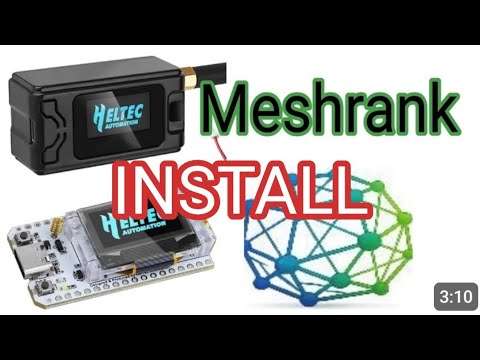
For the Heltec V4 Repeater Observer uplink. Keep this code secret and paste it into the Repeater Observer setup.
Message flow
Choose where new messages appear. Defaults to newest at the bottom. Saved to your account.
Map default
Maps open on your selected country unless you save a personal map view.
Channels
My reports and decisions
Read the status and reason for reviews of reports you submitted. This view does not reveal hidden content.
Blocked chat senders
Only your account hides these messages, across all channels. Blocking matches the displayed sender name, so people sharing a name may also be hidden and a renamed sender may reappear.
Account Details
Reported hop sequences and unresolved evidence
Link Geometry
Route Depth
RF Environment
Atmosphere Forecast
--Hop Distance Distribution
Space Weather
Route Hop Distribution
Next 12 Hours
Best Windows
Signals To Watch
Recommended Use
Click for more
- Join our Discord — discord.gg/2QpMBP88Dp
- Be patient — this is a one-person development effort.
- Send feedback, ideally with concrete recommendations on what to improve.
Technical detail for operators (which service runs each stage)
Repeaters Over 7 Days
Observers Over 7 Days
Rooms Over 7 Days
Nodes Over 7 Days
meshcoretomqtt? Add the MeshRank preset and start sending anonymously, then register the observer to your account later.
v1.17.1 beta track plus the known-good Heltec V4.3 v1.14.1 stable track with MeshRank uplink.
0x10000; the merged image is a full flash image for 0x0.
meshcoretomqtt? No MeshRank account is needed to start. The node public key keeps the observer identity stable if you register it later.
sudo install -d -m 0755 /etc/mctomqtt/config.d
sudo curl -fsSL https://meshrank.net/meshcoretomqtt/meshrank.toml -o /etc/mctomqtt/config.d/10-meshrank.toml
sudo systemctl restart mctomqtt
/packets is required; /status is optional.
[[broker]] override to /etc/mctomqtt/config.d/99-user.toml. Restart mctomqtt; the existing observer is attached to your account without changing its public-key identity.
Gessaman MQTT observer firmware
The firmware's built-in meshrank preset uses your account token, unlike the anonymous meshcoretomqtt preset above. Create a key in Account → Observer Setup → MQTT observer registration. Do not leave the token blank.
Choose an unused, supported broker slot. This example uses slot 3 and leaves your other brokers unchanged:
set mqtt3.preset meshrank
set mqtt3.token YOUR_MESHRANK_UPLINK_TOKEN
get mqtt.status
- Join our Discord — discord.gg/2QpMBP88Dp
- Be patient — this is a one-person development effort.
- Send feedback, ideally with concrete recommendations on what to improve.
Start with a local club
Amateur radio is easiest to get into when you can talk to people nearby. Local clubs can explain the Foundation route, help with training, and introduce you to operators already building RF communities around you.
- Watch the video for the licensing process and what to expect.
- Find a nearby club on the map or use a national club if you are online-first.
- Ask about Foundation training, exam support, and beginner-friendly nets.
- Affiliate with clubs you are part of so MeshRank users can see where the community is growing.
Create a club listing
Local clubs
National and online clubs
Why MeshRank?
Mesh networks promise resilience, but in their early stages they often struggle with something more basic: confidence.
With MeshCORE, new repeaters are frequently deployed into sparse or growing networks. When messages don’t appear to move - or there’s no clear feedback - operators naturally assume the repeater isn’t helping. Too often, it gets switched off, and the network loses coverage just when it needs it most.
MeshRank exists to answer one question early mesh networks struggle with: “Is this helping?”
By giving honest, low-impact feedback, MeshRank helps good repeaters stay online long enough for the mesh to become truly resilient. MeshRank exists to change that experience.
It provides visibility into how the mesh is actually performing:
Which repeaters are active and contributing over time. Which messages were delivered, with a confidence score rather than guesswork. Where messages were observed but failed to fully propagate.
This feedback loop keeps operators engaged and informed, even when the network is still maturing.
MeshRank uses a passive observer network to provide insight without increasing mesh traffic. By reducing the need for repeated test messages, it lowers network load while giving users meaningful information about what’s happening behind the scenes.
Repeaters are ranked based on real contribution, not assumptions - encouraging operators to keep nodes online, improve placement, and actively strengthen the network.
MeshRank doesn’t replace the mesh, and it doesn’t route traffic through the internet. It simply helps the mesh understand itself.
Visibility builds confidence. Confidence builds resilience.
Frequently Asked Questions
No. MeshRank does not forward, relay, or complete mesh messages using the internet. All mesh communication still happens entirely over RF. MeshRank only observes what has already occurred and reports that information back to users.
No. The mesh remains fully autonomous and functional without MeshRank. If MeshRank disappeared tomorrow, the mesh would continue to operate exactly as it does today. MeshRank does not participate in routing decisions, message delivery, or network control - it provides visibility, not dependency.
Because feedback matters. In early and sparse networks, lack of feedback causes repeaters to be switched off, not improved. MeshRank uses off-mesh observation to help operators understand what’s happening without increasing RF traffic or adding test spam to the network. This strengthens the mesh - it doesn’t weaken it.
No. MeshRank is not in the message path. It cannot block, delay, or interfere with mesh traffic. If MeshRank goes offline, the mesh continues to operate unchanged. There is no reliance on MeshRank for delivery, routing, or authentication.
Quite the opposite. MeshRank encourages: better repeater placement, higher uptime, reduced test traffic, and faster identification of coverage gaps. All of these increase RF-only resilience, even when the internet is unavailable.
No. Observers do not inject traffic or control the network. They report limited metadata needed to understand propagation - not to monitor users. The goal is network health, not message content analysis.
Yes - intentionally. Visibility and motivation matter. Ranking makes contribution measurable, encourages operators to keep repeaters online, and helps the network grow during its most fragile phase. Strong networks are built by engaged operators.
MeshRank becomes less critical - and that’s a success. As density increases, confidence becomes self-sustaining. MeshRank’s role naturally shifts toward diagnostics, optimisation, and historical insight rather than reassurance.
MeshRank exists to answer one question early mesh networks struggle with: “Is this helping?” By giving honest, low-impact feedback, MeshRank helps good repeaters stay online long enough for the mesh to become truly resilient.
Two things have to be true: (1) your repeater must be advertising its GPS location in its self-adverts, and (2) at least one MeshRank observer must be in RF earshot to hear the advert. Quick checks:
- On the repeater, set
name,lat,lonand enable the flooded advert (most builds exposeadvert send+advert flood). Confirm coordinates are non-zero. - Send a flooded self-advert from the repeater (CLI:
advert send 1) and wait 2–3 minutes for an observer to relay it. - Open MeshMap with the right region selected. If still missing, check whether any observer near you reported any packets in the last 24 h on Static Observers.
- If there is no observer nearby, consider setting one up on the Become an Observer page — without an observer in earshot of your repeater, MeshRank can’t see it.
You can’t — by design. The Heltec V3 “Observer node” firmware is single-purpose: it boots, joins Wi-Fi, listens, and uploads. There’s no companion screen, no admin password, and no Bluetooth admin shell. All configuration (Wi-Fi, location, name) happens through the web flasher during step 3 of Become an Observer.
If you want a node you can also log into and manage, switch to the Repeater Observer or Direct MQTT options instead — those use the full MeshCore firmware with the MeshRank uplink on top.
Overview
These terms apply to your use of MeshRank.net and related services. By using the site, you agree to these terms.
Acceptable use
- Use the service lawfully and respectfully.
- Do not attempt to disrupt, overload, or bypass security.
- Do not upload or share unlawful, harmful, or misleading content.
Accounts
You are responsible for keeping your login details secure and for activity under your account.
Availability
We aim to keep the service available but do not guarantee uninterrupted access.
Liability
The service is provided “as is”. To the extent allowed by law, we exclude liability for indirect or consequential loss.
Changes
We may update these terms. Continued use after changes means you accept the updated terms.
Contact
Questions? Contact us via the MeshRank site.
What we collect
- Account details (email, callsign or public username).
- Usage data and basic analytics to operate the service.
- Node identifiers you choose to claim.
How we use data
- To provide and improve the service.
- To keep accounts secure.
- To personalise your experience where enabled.
Lawful basis
We process personal data under legitimate interests and, where applicable, consent or contract.
Sharing
We do not sell personal data. We may use trusted service providers for hosting and authentication.
Retention
We keep data only as long as needed for the service or legal obligations.
Your rights
You can request access, correction, or deletion of your personal data, and object to processing where applicable.
Contact
For privacy requests, contact us via the MeshRank site.